

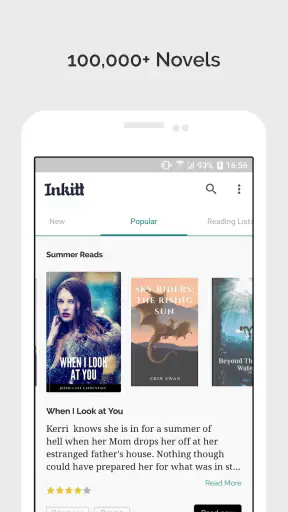
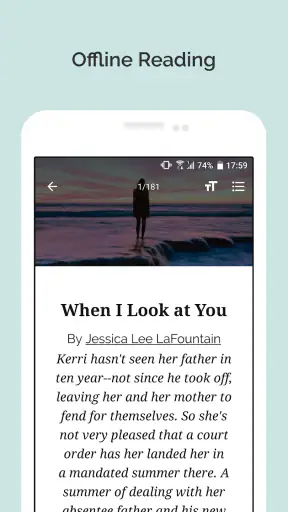
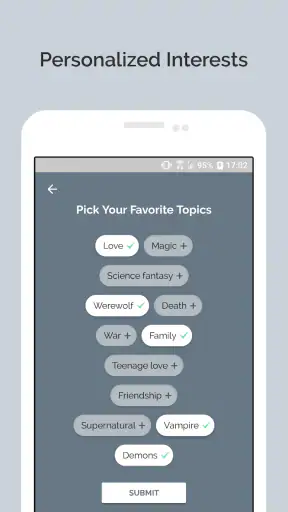
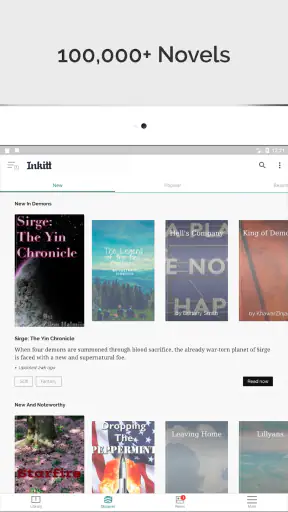
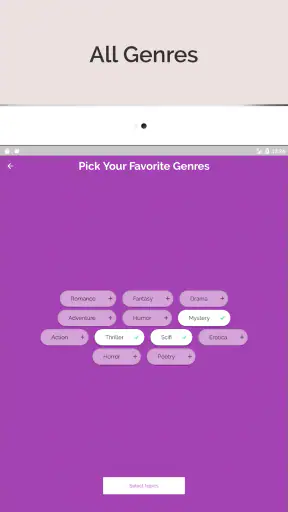
I opened Inkitt looking for something more personal than the usual bestseller shelf, and that is still the best way to understand it. This free Books & Reference app from Inkitt Inc brings together a large reading catalog with a strong focus on romance, fiction, and erotica, while also making room for people who want to write. It feels less like a digital bookstore and more like a busy community where stories are discovered while they are still finding their audience.
That difference matters. If you want a carefully edited library of established titles, a conventional ebook reader may feel calmer and more predictable. If you enjoy finding new voices, following emotional plotlines, and deciding for yourself whether an unfamiliar story deserves your time, Inkitt has a more adventurous rhythm. I found the app most enjoyable when I treated it as a place to browse and experiment rather than as a replacement for every other reading tool on my phone.
From a spare moment to a story worth following
My typical starting point was simple: I had a short break, wanted fiction, and did not already know exactly what to read. Inkitt suits that situation because its identity is built around discovery. Instead of beginning with a single famous author or a narrow reading list, I could explore stories by mood and subject, then decide whether the writing and premise were strong enough to keep going.
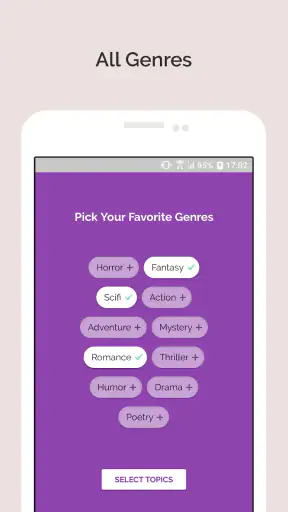
The catalog’s emphasis is clear. Romance is likely to be the easiest entry point, while broader fiction and erotica give the experience a wider emotional range. That focus is useful if you already know the kind of stories you enjoy. It is less ideal if your main interests are reference manuals, academic books, technical guides, or a broad nonfiction collection. The app belongs to the reading-and-writing side of Books & Reference, but its personality is unmistakably fiction-first.
I also paid attention to the age guidance. Inkitt is marked for Teen users, yet the presence of erotica means readers and families should still use their own judgement about what is appropriate. A label can provide a general boundary, but it cannot replace checking the tone and subject of an individual story. For younger readers, I would not hand over the app without discussing how to choose suitable material.
Finding the right starting point
The first useful habit is to avoid judging the whole service by the first story that appears. Community-driven catalogs can be uneven: one title may immediately pull me in, while another may need a few pages before its voice becomes clear. I found it better to sample several openings, compare the writing style, and keep only the stories that made me curious about the next scene.
This is also where Inkitt differs from a traditional ebook store. A store usually helps me choose among books that already have a known publishing path. Here, the discovery process itself is part of the experience. The reward is the possibility of finding something that feels fresh and less obvious. The trade-off is that I may spend more time filtering, and the presentation of a story does not guarantee that its pacing or editing will suit me.
For a realistic everyday example, imagine waiting for a train with twenty minutes to spare. I would open the app, browse romance or fiction, read enough of a few candidates to compare their tone, and select one with a strong opening rather than downloading the first attractive cover. On a longer commute, I would continue with the same story and make a note of whether the chapter structure works for interrupted reading. That small test prevents me from committing to a long book that only looked appealing at a glance.
Reading in a way that protects your time
Once I choose a story, the workflow becomes more focused. I read a meaningful opening section, pause at a natural break, and decide whether I want to continue. This sounds obvious, but it is especially important in a platform built around many developing or lesser-known voices. The app gives me more choice, so I need a more deliberate filter.
My practical test has three parts. First, I check whether the premise is actually delivered in the opening rather than merely suggested by the title. Next, I watch for whether the dialogue feels natural and whether each scene moves the story forward. Finally, I ask whether I want to spend another short session with these characters. This approach turns browsing into a repeatable workflow instead of endless scrolling.
A useful trade-off appears here: readers who love long, uninterrupted novels may find the abundance distracting, while readers who enjoy sampling and switching will probably see it as a strength. I would not use Inkitt when I need one authoritative answer or one dependable reference work. I would use it when the goal is to discover a narrative and let the story earn my attention.
Where the reader and writer sides meet
The app is not only aimed at people who consume stories. Its store positioning also includes writers, which changes the relationship between reading and creating. As a reader, I can notice what makes an opening effective, where a chapter loses momentum, and how a premise is presented. As a writer, that same browsing session can become informal research into reader expectations and popular storytelling patterns.
I would keep those two activities separate when possible. Reading for pleasure should not turn every chapter into an editing exercise, and writing should not depend entirely on copying whatever is currently visible. Still, the connection is valuable. A person drafting a romance story can read several different approaches to tension, character introductions, or chapter endings, then return to their own work with more concrete questions.
The handoff from reader to writer is one of the app’s more interesting uses. I might begin by opening a story during a break, notice a technique that works well, and later use that observation to revise a scene of my own. The outcome is not just another finished chapter; it is a better sense of how readers encounter a story one decision at a time.
Managing the handoffs between discovery, reading, and writing
Most reading apps have a simple handoff: find a book, open it, and read. Inkitt adds another layer because discovery can lead toward participation. I move from browsing to sampling, from sampling to following a story, and from reading to thinking about the craft behind it. Each handoff has a possible point of friction.
The first friction is choice overload. A large catalog is helpful only when I have a method for narrowing it. My solution is to choose a mood before opening the app: light romance, dramatic fiction, or something more intense. I then give a small number of stories a fair opening sample. This keeps the catalog from becoming a substitute for reading.
The second friction is expectation. Readers accustomed to polished commercial ebooks may be surprised by differences in editing, pacing, or structure. I see that as part of the bargain rather than an automatic flaw, but it should be understood before committing. The app is strongest for someone willing to evaluate a story on its own terms and move on when the fit is wrong.
The third friction is the boundary between personal taste and community popularity. A story can attract attention and still not work for me, while a less obvious title may become a favorite. I try not to treat visibility as a quality verdict. Sampling remains more reliable than assuming that a prominent story will match my preferences.
What the experience feels like after regular use
After spending time with the app, the result was a reading routine with more discovery and less certainty. I found it easier to start a story when I had only a short amount of time, because I did not need to plan an entire reading list in advance. I could explore, test a premise, and either continue or return to the wider catalog.
The service also works well for readers who want to support emerging writers through attention. That does not mean every story will be equally polished, and I would not confuse accessibility with professional editing. It means the app gives me a chance to encounter work outside the narrow circle of already familiar authors.
Its popularity gives some context without deciding the question for me. Inkitt holds a 4.5 average from around 100 thousand ratings, with more than 5 million installs. Those figures suggest that the reading model has found a substantial audience, but my own experience still depends on whether the catalog’s genres and community-driven feel match my habits.
The app is free, which lowers the barrier to trying it. That is particularly useful for a curious reader who does not want to buy an unfamiliar title before knowing whether the writing suits them. Free access does not remove the cost of time, though. The real investment is attention, and the best way to protect it is to sample deliberately instead of treating every available story as a commitment.
Practical advice for different kinds of readers
For a romance reader, I would begin with a specific emotional preference rather than a broad search. Decide whether you want comfort, conflict, slow tension, or something more dramatic, then judge the opening against that goal. This makes the catalog feel personal instead of random and helps avoid abandoning a story simply because it delivers a different mood than expected.
For someone exploring fiction outside romance, patience is useful. The app’s strongest identity may pull attention toward romance and erotica, but fiction readers can still use the discovery process to find stories that fit their interests. I would give each candidate enough time to establish its setting and central problem, while accepting that the selection may not feel as broad as a general-purpose ebook marketplace.
For an aspiring writer, I would use the app as a reader first. Study how quickly a story creates a reason to continue, how chapters end, and whether the description matches the actual experience. Then apply those observations to your own draft without assuming that popularity alone explains why a story works. The most useful lesson is often structural: what information arrives first, what question keeps me reading, and where the story asks for patience.
For a family choosing a reading app, I would review individual titles rather than relying only on the Teen marking. The presence of erotica makes that extra step important. A supervised approach is more sensible than assuming that a broad category label describes every story in the same way.
Compatibility and the everyday setup
Inkitt has been available since January 7, 2017, and the current version is 5.2.0. It supports devices running Android 7.0 or later, so anyone with an older phone should check compatibility before planning a reading routine. On a supported device, I would install it before a commute or trip and spend a few minutes learning how the catalog feels, rather than waiting until I urgently need something to read.
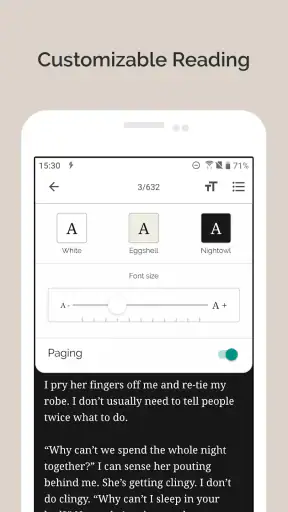
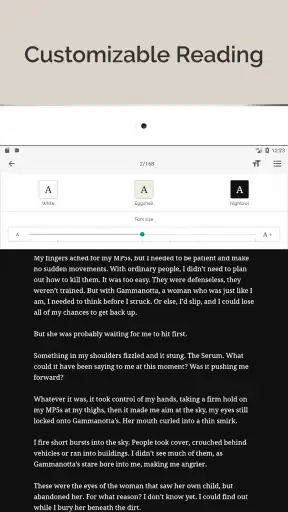
That preparation is more useful than it sounds. A short trial lets me decide whether the app’s selection matches my taste, whether the reading flow feels comfortable on my screen, and whether I prefer it to my existing ebook setup. I would also choose a few likely genres in advance, because opening a large fiction catalog with no intention can turn a spare moment into a frustrating search.
Compared with a standard ebook reader, Inkitt is more social in spirit and more discovery-oriented. Compared with a conventional bookstore app, it feels less centered on established commercial releases. Compared with a writing-focused tool, it is more valuable as a place to read and observe than as a complete private writing environment. Those distinctions clarify its role: it is a gateway to stories and writers, not a universal replacement for every reading or drafting tool.
Where the workflow breaks down
The same openness that makes the app interesting can make it inconsistent. If I want guaranteed editorial polish, a carefully organized nonfiction shelf, or a predictable route from purchase to finished book, I would choose another service. Inkitt asks me to participate in selection, and that extra effort is not a benefit for everyone.
It can also be a poor match for readers who dislike romance-heavy environments or who want to avoid mature themes altogether. The app’s genre identity is part of its appeal, but it narrows the audience. Someone looking mainly for textbooks, dictionaries, news reference, or professional manuals should not install it expecting a general reference library.
Another break occurs when I confuse abundance with progress. Opening story after story may feel productive, but it is not the same as finishing one. The best result comes from setting a small goal: find one promising title, read enough to make a fair decision, and either continue or release it. Without that boundary, the discovery layer can overwhelm the reading layer.
I also would not recommend it as the only tool for a serious writing project. It can sharpen my reader’s eye and expose me to different approaches, but drafting, revising, and organizing a manuscript require a workflow built for those tasks. Inkitt is most useful in that process as a source of reading experience and audience awareness, not as a substitute for every writing instrument.
My recommendation after following the full journey
Inkitt works best when the starting condition is curiosity: I want a new story, I enjoy romance or fiction, and I am comfortable exploring writers I may not know. The flow from browsing to sampling to reading is easy to understand, while the handoff into writing gives the app extra value for people who create stories themselves.
The key is to treat discovery as a skill, not a promise of instant perfection. Set a genre intention, sample openings carefully, and judge a title by the experience it gives you rather than by its visibility. That approach turns the app’s large selection into an advantage and reduces the frustration caused by uneven fit.
With its free access, Teen guidance, established presence, and strong user adoption, it is an easy app to try for fiction readers. The current release also keeps it relevant for supported Android devices, while iOS readers can consider it as part of the same reading-and-writing ecosystem. I would recommend it to a friend who likes finding emotionally driven stories and does not mind doing some filtering. I would steer a friend toward a traditional ebook or reference app if they value authoritative content, uniform editing, or a tightly curated catalog above all else.
My final view is positive but specific: Inkitt is not impressive because it removes every decision from reading. It is useful because it gives those decisions a lively place to happen. When I use it with a clear mood, a short sampling routine, and realistic expectations about community-created fiction, it turns spare moments into genuine reading discoveries.


